
Every account in one allocation
Before any of the rest of it means anything, two questions have to be answered: what do you actually own across every account, and is that mix the one you'd have chosen on purpose? This is where both get answered. The app also makes sure your own picks are never treated as a liquidation list.
"What do I actually own?"
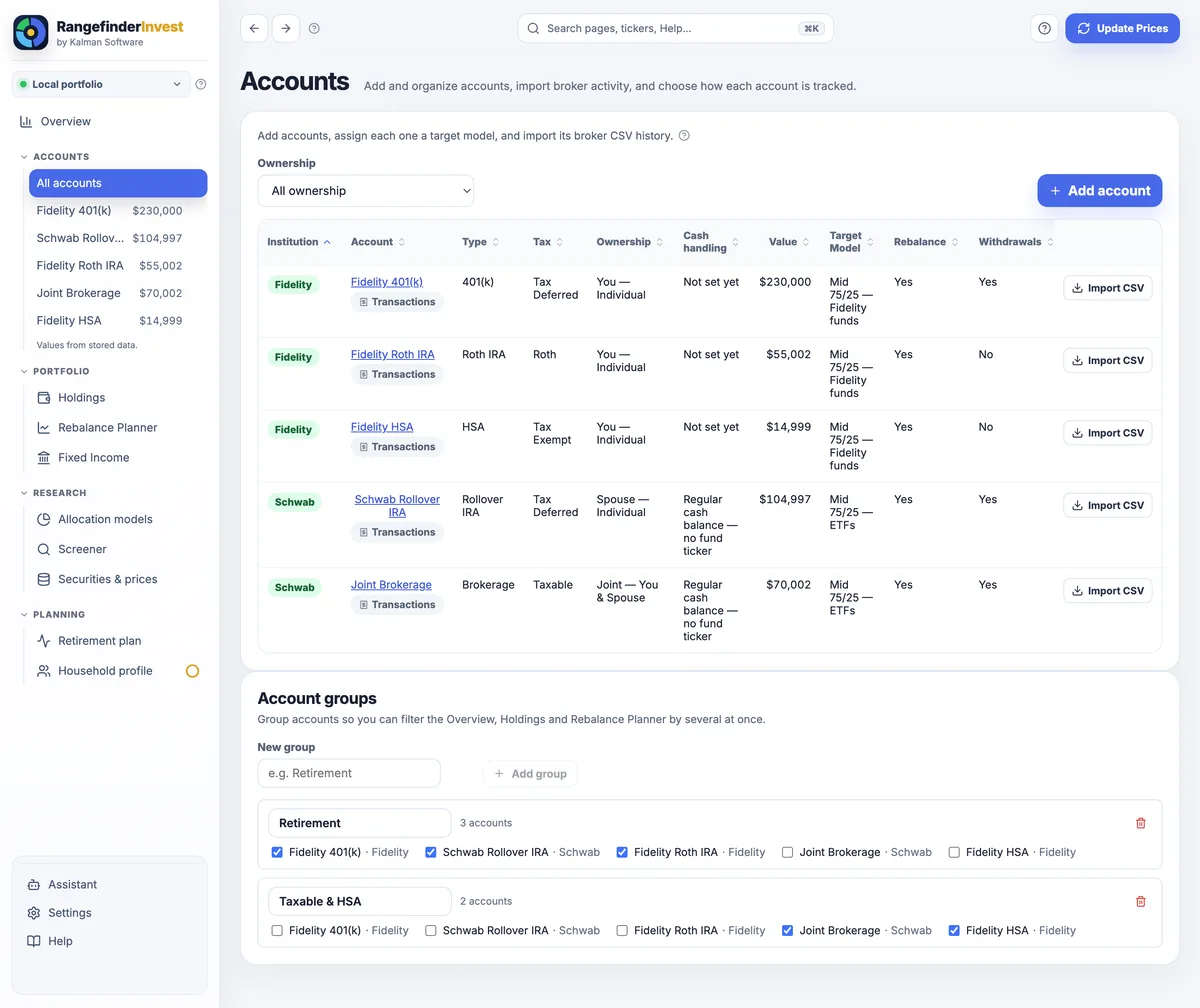
Bring in every account you have, including workplace plans, IRAs, the TSP and the taxable brokerage, and get one picture. Two ways in, and both stay entirely on your machine: type in your monthly statement, or import the CSV your broker already exports.
- ✓Every account type in one place: brokerage, Traditional & Roth IRA, 401(k), Roth 401(k), 403(b), HSA and 529, with your TSP modeled as real holdings and official daily prices for all 16 funds pulled straight from tsp.gov.
- ✓Schwab & Fidelity CSV import: broker auto-detected, rows previewed, and de-duplicated so re-importing is always safe. Or start lighter with statement snapshots and upgrade to full transaction tracking whenever you're ready.
- ✓Real cost basis, derived from your ledger: market value, unrealized and realized gains, income, and a per-ticker transaction drill-down; a Reconcile tool writes the exact adjusting entry when your broker's statement disagrees.
- ✓Bonds & CDs done right: a T-bill/CD ladder priced by accrual toward par, with maturities, FDIC issuer exposure and a forward income calendar. No fake $0 prices, no false dips.
"Is my mix the one I'd choose on purpose?"
The moment your holdings are in, RangefinderInvest classifies them into asset-class slices and shows the allocation you actually hold across everything, not per account. For most people it's the first clear look in years: the legacy stock, the overlapping funds, the 70/30 you thought was 60/40. Then you design the mix you want.
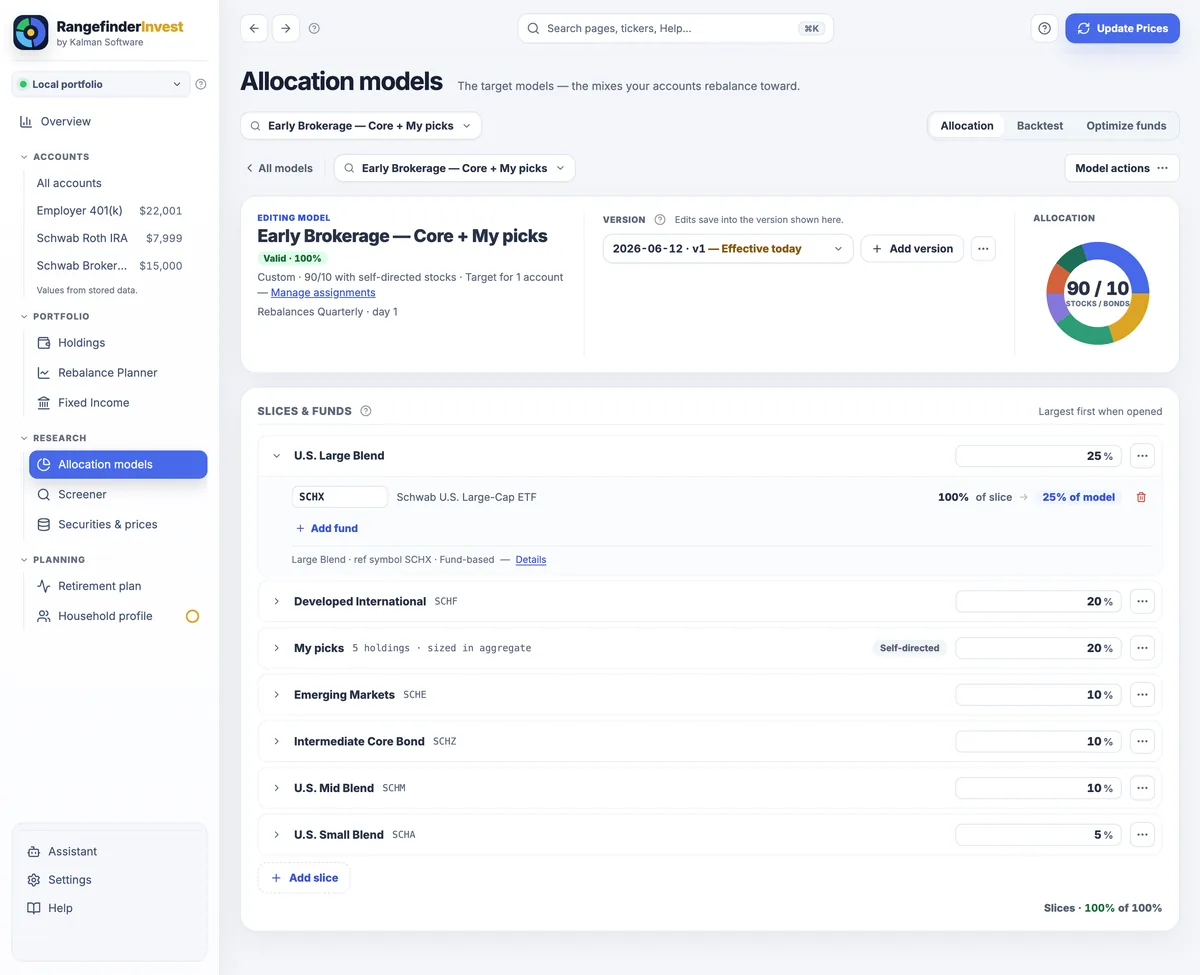
- ✓Target vs Actual, side by side: every slice's target weight against today's true weight, with the drift in dollars, so the gap is a fact instead of a feeling.
- ✓Named target models: slices with weights, implemented with the real tickers you'd use at each broker (FXAIX at Fidelity, SCHX at Schwab), splittable within a slice.
- ✓A live 100% budget that flags over- and under-allocation as you type, and Valid / Review badges so a misweighted model can't quietly produce bad orders.
- ✓Effective-dated versions: today's version drives today's moves while older versions stay on record, so backtests replay what you actually held, point in time.
- ✓Your own picks are never a liquidation list. Setup asks how each account should be treated (track what I hold · hit a target mix · follow a mix for part of it), your stock picks can become a slice the app sizes but never trades, and before any model becomes a target you see the consequence, such as "would close 13 of 14 holdings, ~$690,000," with a just compare option that benchmarks without ever suggesting a trade.
Your own picks are never a liquidation list
Add an account and RangefinderInvest asks how to treat it. Before any model becomes your target, it shows the exact consequence, to the dollar, with a compare-only option right beside it.
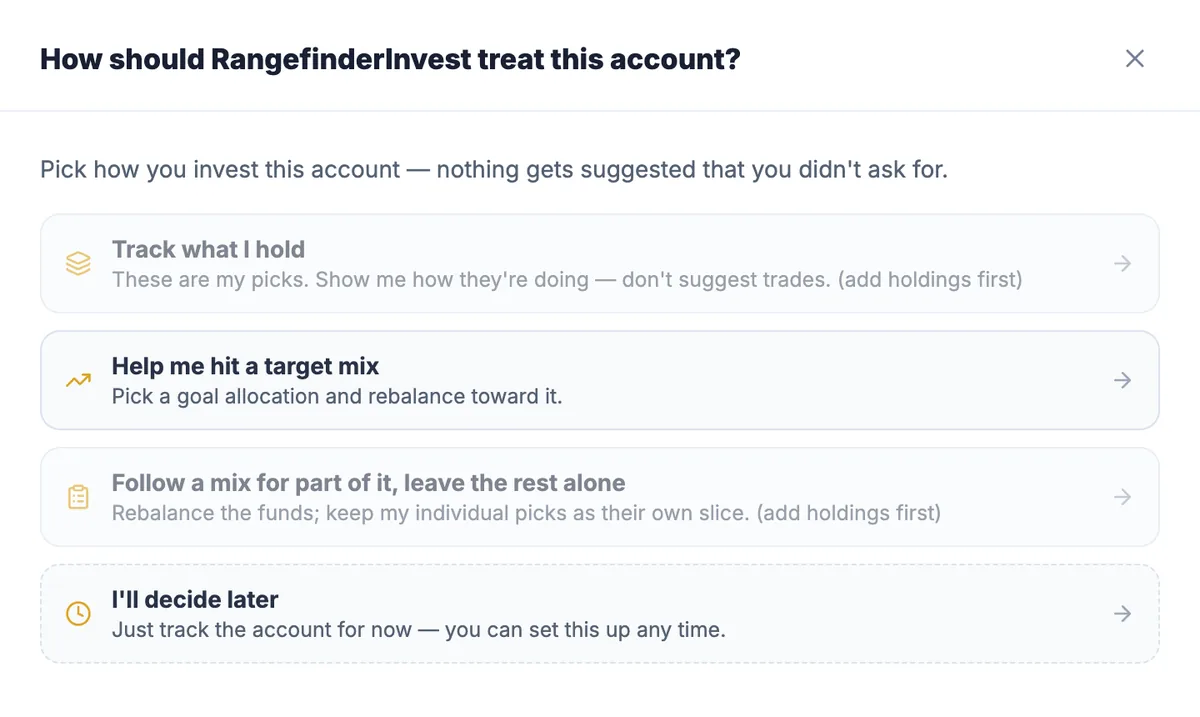
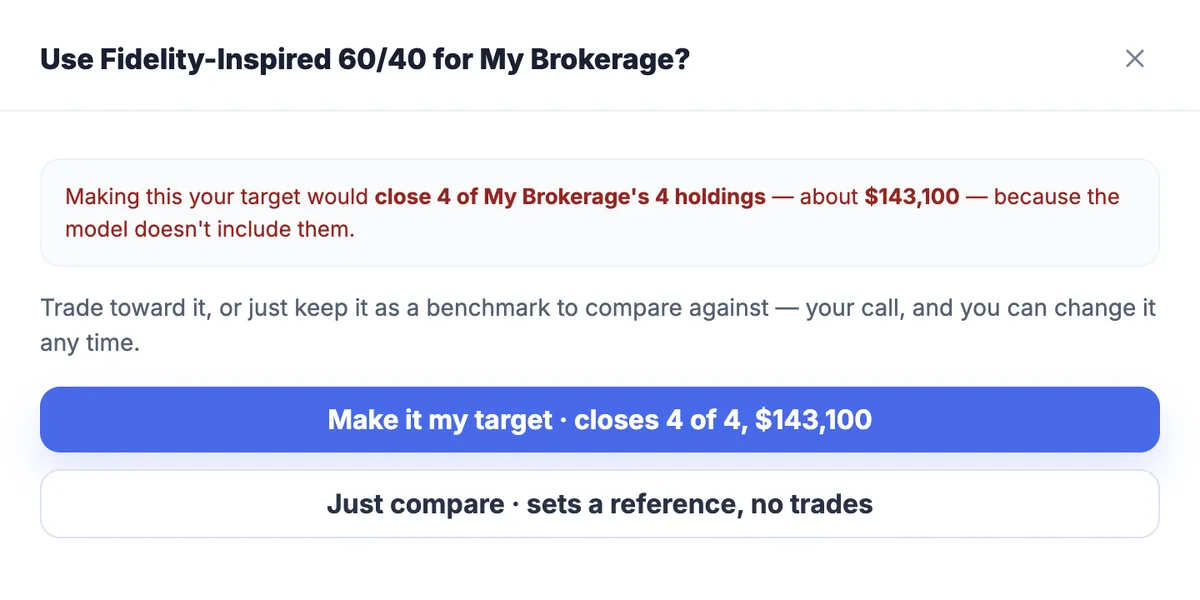
Real capture: a stock account offered an all-fund model is told exactly what that would close, with Just compare beside it to benchmark without ever trading.
See your real allocation
Load a sample household to walk the whole setup, or bring in your own accounts by CSV or by typing a statement.
30 days, every feature, no card and no account.