
Everything on this page happens in your first sitting: install, look around a complete sample household, bring in your real accounts, and buy a license if it earns it. Nothing requires an account, a card, or a connection to your brokerage at any point.
Install it
- macOS: download the .dmg from the download section. It is signed and notarized by Apple, so it opens with no Gatekeeper warning: drag it to Applications and go.
- Windows: install from the Microsoft Store, signed by Microsoft, no security warning. A direct .exe installer is on the download section if you prefer to skip the Store.
- Linux: a .deb and an AppImage are both on the download section.
Every download page shows SHA-256 digests, so you can verify what you fetched before you run it.
First run: two doors
The first screen offers two ways in, and both are the honest one.
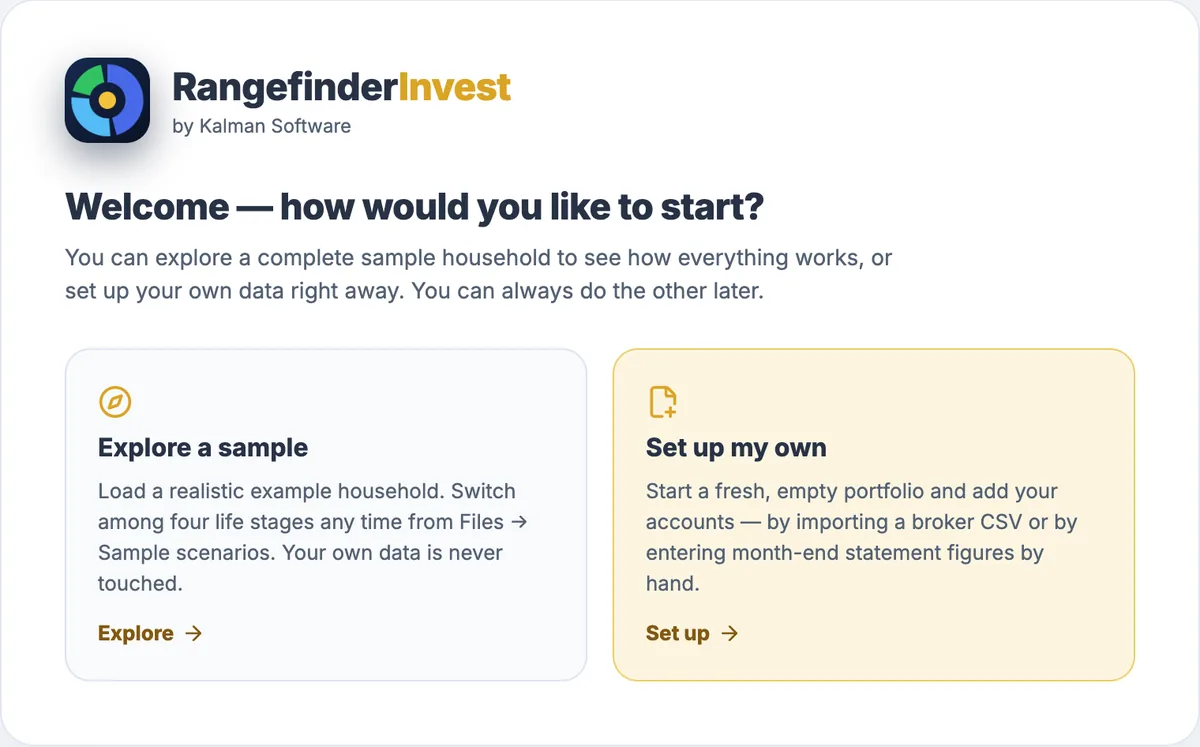
- Explore a sample loads a complete household with five accounts, real price history, a target model, and a retirement plan, so every page has something true to show in your first minute. The guided setup topic walks the same road in the app's own words.
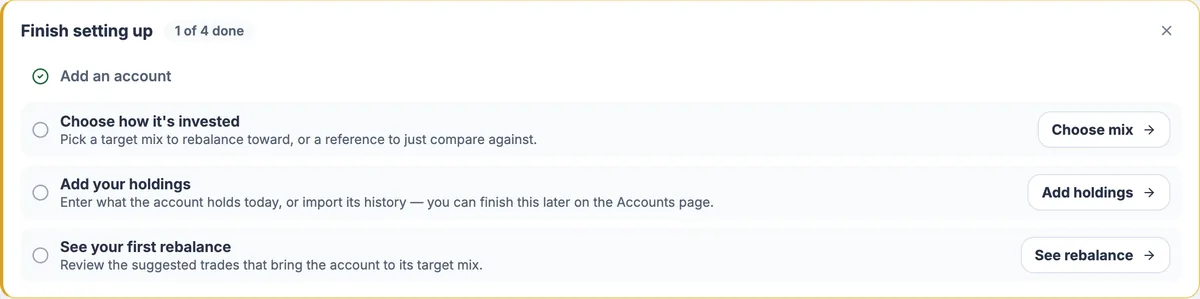
- Set up your own starts from your actual accounts. A Finish setting up checklist survives restarts and walks you from a first account to your first rebalance. It never dead-ends half-done.
Bring your own numbers
You have two ways to bring in numbers, and both are offline from your broker's point of view. Import a CSV transaction export; Fidelity and Schwab formats are auto-detected (how the importer reads them). Or type in your monthly statement. RangefinderInvest never has your login and never places a trade.
For prices, you connect your own free Tiingo API key at setup (where prices come from, and what each source covers). TSP funds need no key at all. Official daily share prices come from tsp.gov, with history back to 2003.
The trial, and buying
The trial is 30 days with every feature, no card and no account; its clock starts on the first commercial launch. When it ends, the app goes read-only, never locked: your data stays readable and exportable forever.
If you buy (from the pricing section), your license key arrives two ways at once: by email and on the confirmation page the checkout lands on, so a spam filter can't strand it. Enter it under Settings → License. Activation verifies offline, is bound to your name, and no server can revoke it, including ours. What the included year of updates means, and what happens when it ends, is the FAQ's first question.
Where your data lives
Your data lives in a single SQLite file on your machine. The Files page shows exactly where, lets you move it to a synced folder or external drive, and keeps automatic timestamped backups. There's no Kalman-hosted portfolio cloud, product account, or usage analytics; the FAQ's privacy answers spell out the switchable price and update requests and the optional, off-by-default AI connections.